
Buy a travel card
If you buy a new travel card we will charge a fee of SEK 30. Travel cards can be bought in the following places:
- From one of our sales agents
- From our customer service at Resecentrum, Örebro
Load your travel card
You can load travel credit, tickets, and electronic single tickets on our travel cards. You can have a maximum of 8 different tickets on a travel card, and travel credit count as 1 ticket.
You can load a travel card in the following places:
- In our web shop
- On city buses in Lindesberg
- On regional buses
- At our sales agents
- At our customer service at Resecentrum in Örebro
You must already have an active travel card to be able to load it in the web shop or on board the bus.
Let someone else use your travel card
You can lend your travel card to someone else as it is not personal. Several people can travel using the same travel card as long as you travel together.
Scan your journey
You need to scan your ticket every time you board a bus and before you get on a train.
-
Scan on board a city bus in Örebro or Citylinjen
On our city buses in Örebro, you can scan your Travel card either with the driver or at the ticket reader inside the bus. If you're travelling with Citylinjen, you can board through any door and scan your Travel card there.
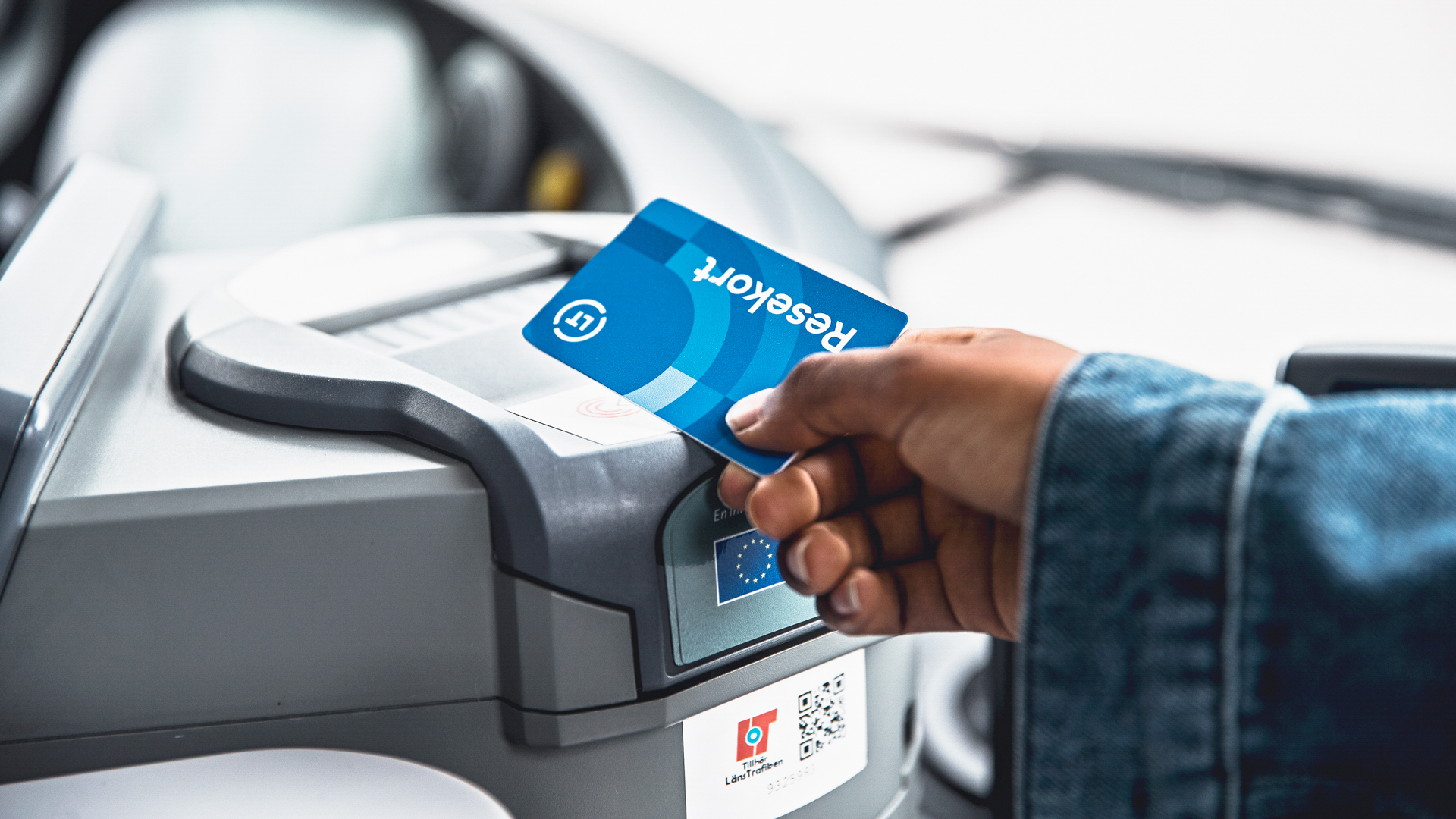
If you want to scan your ticket with the driver, hold your Travel card up to the reader located on the top of the ticket machine. Hold it there until you see a message on the ticket reader indicating the ticket is approved, and hear a beep confirming the ticket. You don't need to inform the driver or press anything before scanning the ticket.
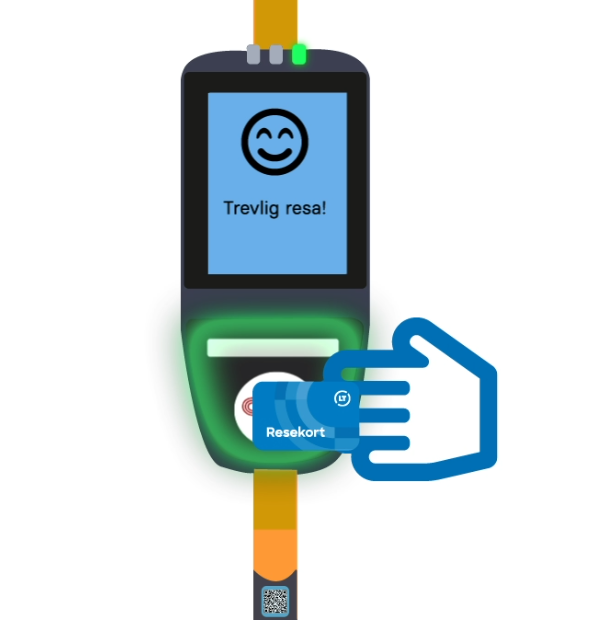
If you want to scan your already purchased ticket at the ticket reader inside the bus, hold your Travel card up to the reader on the lower part of the ticket reader. You don't need to press anything before scanning the ticket. Hold the card against the reader until you see a smiling face on the screen, indicating that the scan has been approved.
-
Scan on board the city bus in Karlskoga or Lindesberg
You can scan your travel card with the driver. Hold your travel card up to the reader located on the top of the ticket machine. Hold it there until you see a message on the ticket reader indicating the ticket is approved, and hear a beep confirming the ticket. You don't need to inform the driver or press anything before scanning the ticket.
-
Scan on board a regional- or express bus
You scan your ticket with the driver by holding your card against the reader located on the top of the ticket machine. Hold it there until you see a message on the reader indicating that the ticket is approved. You will also hear a beep when the ticket is accepted. You do not need to notify the driver or press anything before scanning the ticket.
-
Scan before your train journey
If you already have a ticket, you need to scan it at one of the yellow ticket machines on the platform. Hold your travel card against the card reader under the display. Keep it there until you see a confirmation message on the screen. You should do this before boarding the train.
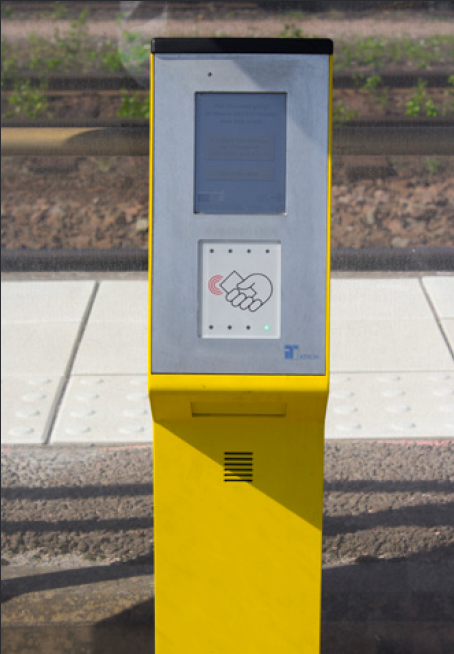
Once onboard, you will either need to have your travel card scanned by the on board staff or show your travel card along with the corresponding receipt. The on board staff will ask you to display your ticket.
-
Scan on board Närtrafik
When travelling with Närtrafik, you should show your ticket, along with the corresponding receipt, to the driver who picks you up.
-
Broken ticket machine
If the ticket machine onboard the bus is broken, try another machine or show your ticket to the driver. If you are traveling with a travel card, please bring the purchase receipt and show it to the driver.
If a ticket machine at the platform is broken, you can use one of the others available at the station.
-
Across the boarder
If your ticket is loaded onto a travel card, show the card together with your receipt.